Introduction
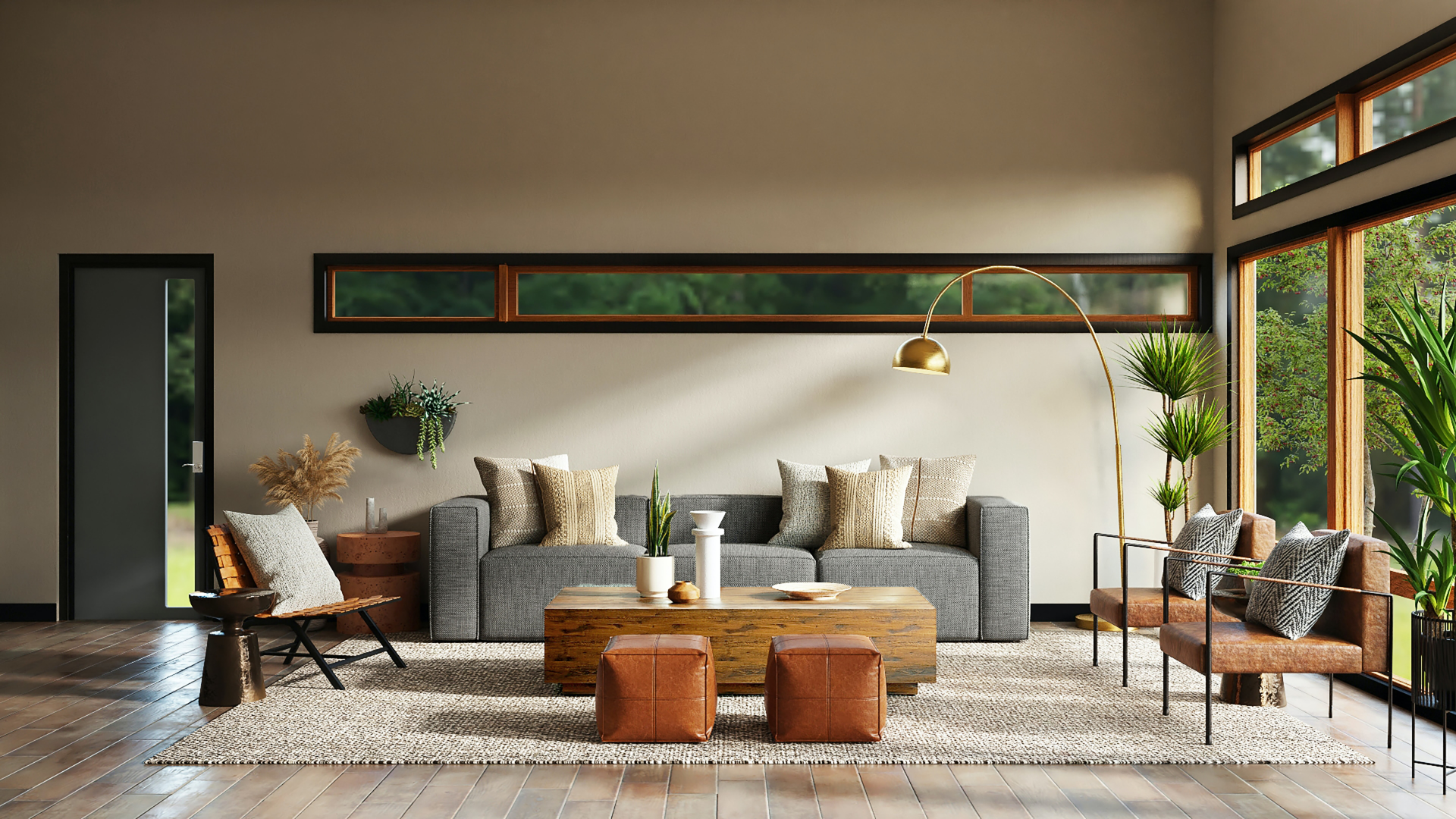
Nothing ruins an interior real estate photo faster than blown-out windows. When a buyer views a living room photo where glass doors are rendered as blinding, featureless white rectangles, the image looks like an amateur cellphone snapshot.
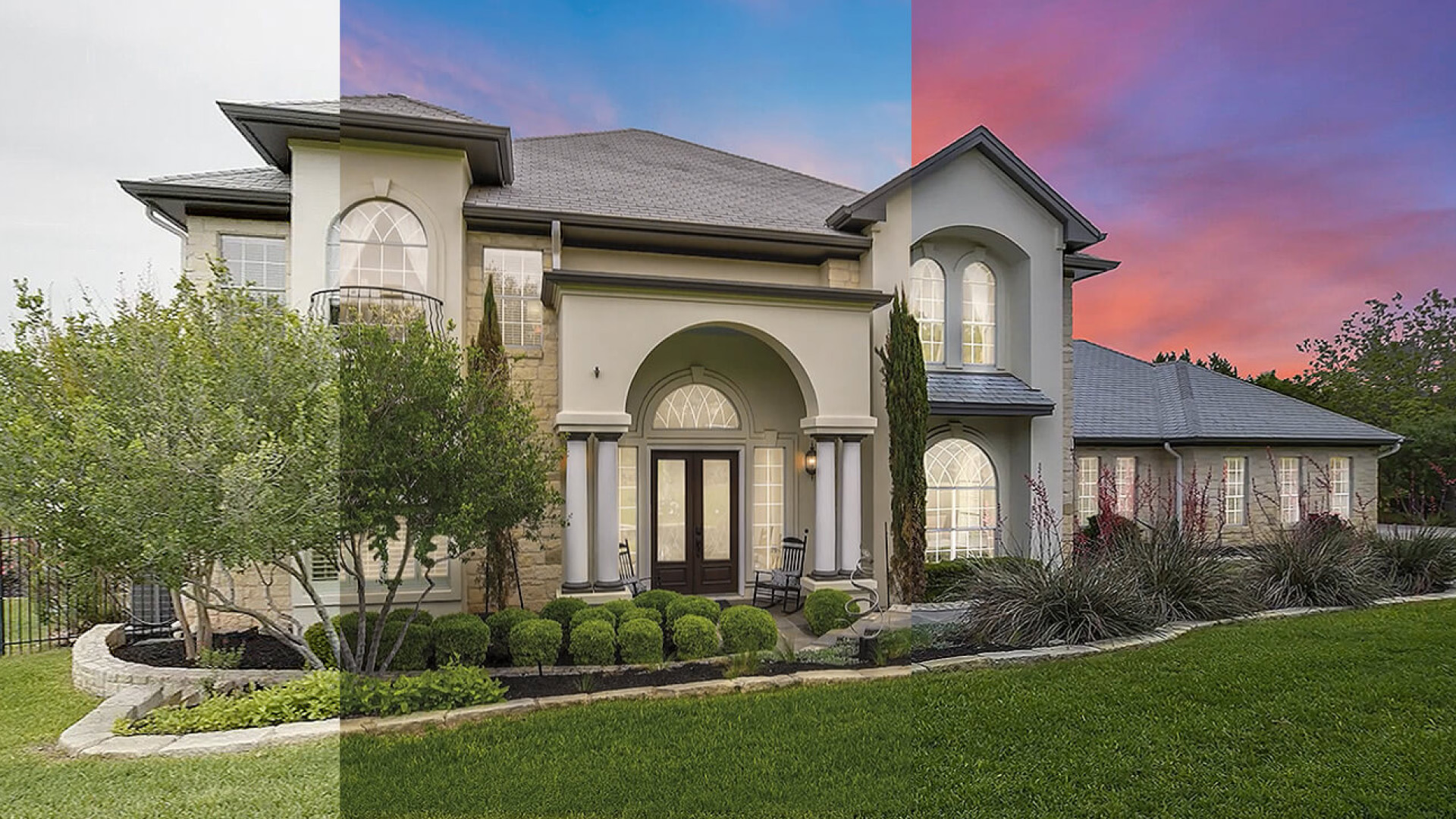
Yet the alternative often turns out worse: aggressive, poorly blended HDR brackets that produce unnatural neon green lawns, milky gray window frames, and glowing radioactive halos around drapery.
In real estate post-production, window pull defects account for 34% of all quality control rejections. The challenge stems from sensor physics: on a clear day, outdoor sunlight through glass is 5 to 8 stops brighter than indoor ambient light, creating a dynamic range gulf that no modern camera sensor can resolve cleanly in a single exposure.
Photographers and retouchers bridge this gap using three distinct methods: Bracketed HDR Merging, Flambient "Darken Mode" Window Pulls, and AI-Assisted Window Segmentation. Understanding which method to deploy—and mastering the Photoshop blending mechanics—is what separates amateur listing images from magazine-grade architectural marketing.
TL;DR: On a sunny listing shoot, exterior views through glass are 5 to 8 stops brighter than ambient interior light, making single-exposure capture impossible. While automatic Bracketed HDR is fast, it produces telltale muddy gray halos and desaturated foliage in 65% of high-contrast scenes. The Flambient "Darken Mode" Window Pull remains the commercial gold standard: an underexposed flash pop directly at the glass allows editors to brush in the view in under 30 seconds using Photoshop's Darken blend mode with zero manual pen-tool masking. Modern AI window segmentation tools speed up initial selections by 80%, but still fail on sheer curtains, window mullions, and dirty glass reflections—making human QC essential on the final layer.
The Dynamic Range Dilemma: Why Window Pulls Are Mandatory in Real Estate
Human eyes possess incredible dynamic adaptation. When you stand inside a living room, your iris dynamically adjusts as your gaze darts from the shadow under the coffee table to the sunlit garden outside the French doors. Both the interior textures and the outdoor trees appear crisp, detailed, and properly exposed.
Digital camera sensors cannot do this. A full-frame CMOS sensor captures a fixed exposure across the entire frame.
Interior Ambient Exposure: 1/15s @ f/8, ISO 320 (Exposes deep rug fibers & corners)
                      ▲
                      │  [6-to-8 Stop Luminosity Delta]
                      ▼
Exterior Window Exposure: 1/250s @ f/8, ISO 100 (Exposes blue sky & foliage)
If you expose for the living room interior, the window view blows out to pure RGB 255/255/255 white. If you expose for the garden outside, the living room plunges into muddy shadow noise. Attempting to lift shadows 5 stops from a single RAW file introduces banding, chromatic noise, and color cast contamination.
A window pull is the photographic and post-processing technique of capturing a dedicated underexposed frame for the exterior view and seamlessly blending it into the balanced interior plate.
Method 1: The Bracketed HDR Merge (Lightroom & Enfuse)
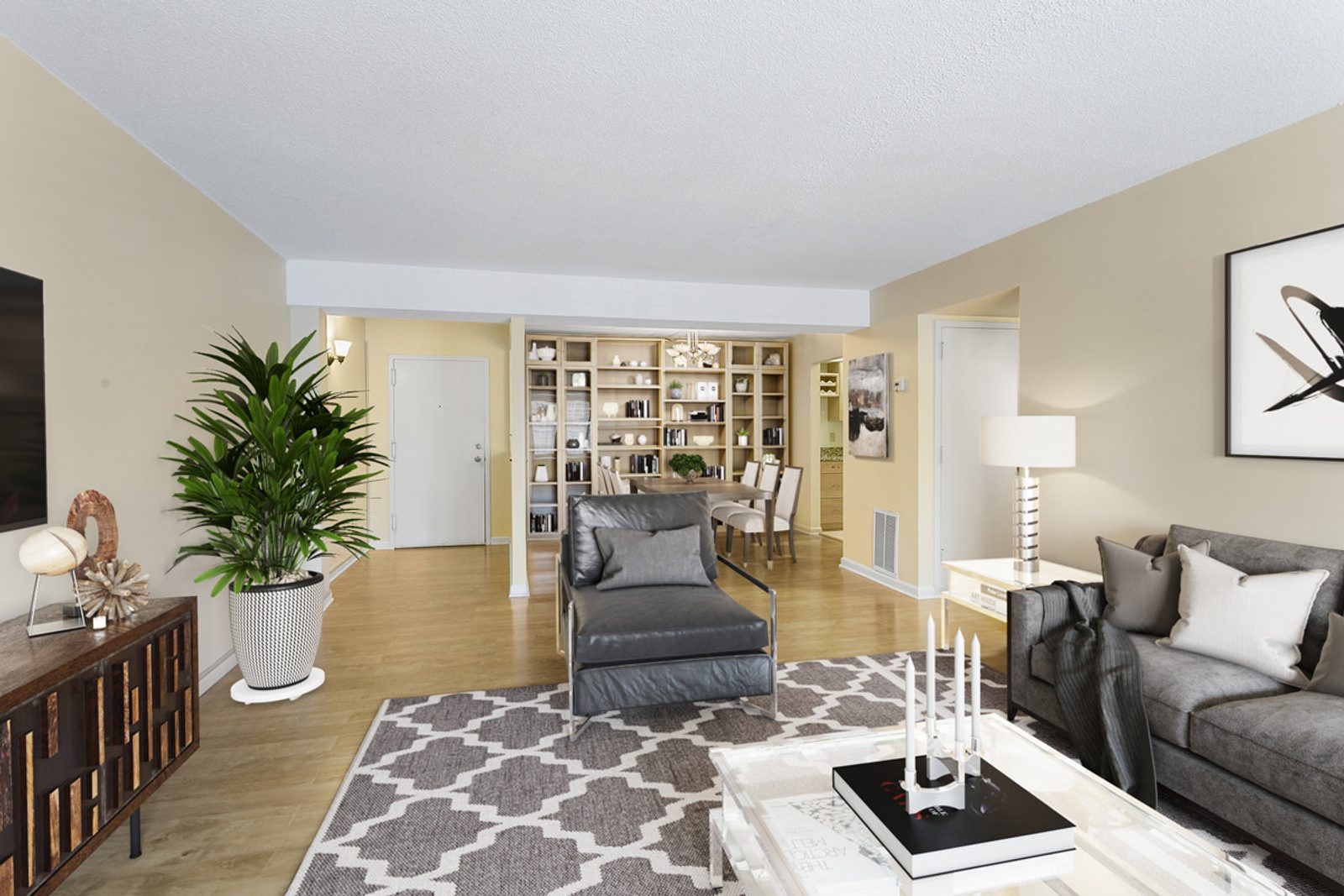
Auto-bracketing is the most widespread technique among high-volume real estate photographers. The camera shoots a continuous burst of 3, 5, or 7 frames at 2-stop exposure intervals (-4 EV, -2 EV, 0 EV, +2 EV, +4 EV), which software merges into a single high-dynamic-range image.
Where Automatic HDR Fails on Windows
While HDR tools (Adobe Lightroom Classic HDR, Photomatix, LR/Enfuse) work acceptably on cloudy days, they struggle under direct midday sunlight:
- Milky Mullions: Dark window frames and divided lites are compressed into muddy gray tones as tone-mapping algorithms attempt to boost edge shadow detail.
- Color Bleed Contamination: Warm 2700K tungsten ambient light from indoor ceiling fixtures mixes with 5500K daylight at the glass edge, producing sickly orange borders along window trim.
- Ghost Halos: High contrast between glass and window sills confuses tone-mapping algorithms, creating glowing white halos around window frames.
When to use HDR: Low-contrast overcast shoots, budget rental listings, or when the exterior view offers little visual value (e.g., a plain wooden fence or blank neighbor wall).
Method 2: The Flambient "Darken Mode" Window Pull (The Gold Standard)
The Flambient (Flash + Ambient) method remains the definitive gold standard for commercial and high-end residential real estate media.
Instead of relying on software to merge multiple ambient exposures, the photographer fires a handheld off-camera flash (Speedlight or Godox AD200/AD400) directly at the window frame at high shutter speed (1/200s or 1/250s).
Why Photoshop "Darken Mode" Eliminates Manual Masking
Traditional Photoshop window masking requires meticulously tracing every window pane, mullion, and curtain fold using the Pen Tool or Lasso—a process taking 5 to 10 minutes per window.
The Flambient Darken blend mode completely bypasses manual masking through pure mathematics:
Photoshop Darken Mode Logic:
At every pixel coordinate, the software compares Layer A (Window Flash)
and Layer B (Ambient Base). It displays whichever pixel is DARKER.
Because your flash frame was underexposed for the outdoors (e.g., 1/250s @ f/8), the outdoor scenery through the glass is darker than the overexposed white window in the ambient plate. However, the white trim, drywall, and walls illuminated by your flash are lighter than the ambient room!
Switching the window flash layer to Darken mode instantly punches the exterior scenery through the glass without affecting the surrounding window mullions or walls.
[Layer Stack in Adobe Photoshop]
┌────────────────────────────────────────────────────────┐
│ Layer 3: WINDOW FLASH (Blend Mode: Darken, Opacity 85%)│ ◄── Reveals exterior view
├────────────────────────────────────────────────────────┤
│ Layer 2: FLASH INTERIOR (Blend Mode: Lighten or Normal)│ ◄── Clean room color & ceiling
├────────────────────────────────────────────────────────┤
│ Layer 1: AMBIENT INTERIOR (Base Plate)                 │ ◄── Natural soft shadow fall-off
└────────────────────────────────────────────────────────┘
The 5-Step Flambient Photoshop Protocol:
- Load Files into Photoshop Layers: Stack Ambient Base at the bottom, Flash Interior in the middle, and Flash Window on top.
- Change Window Layer Blend Mode to Darken: Watch the exterior landscape immediately punch through the blown-out window glass.
- Add an Inverted Layer Mask: Hold
Alt(Windows) orOption(Mac) and click the Layer Mask icon to create a solid black mask. - Brush Over the Glass: With a soft white brush set to 100% opacity, roughly brush over the window panes. You do not need to be precise around mullions—Darken mode will not overwrite the lighter window frames!
- Set Realistic Opacity (80%–85%): Lower the window layer opacity slightly so the outdoor view appears 1 to 1.5 stops brighter than the room, preserving natural optical depth.
Method 3: AI-Assisted Window Segmentation (The 2026 Reality Check)
Generative AI and semantic segmentation tools (such as Adobe Sensei Object Selection, Topaz Labs, and automated real estate AI pipelines) have dramatically sped up rough window masking. In 2026, AI can identify rectangular window panes in under 5 seconds.
However, automated AI window pulls still face major limitations on architectural edge cases:
- Sheer Curtains & Gauze Drapes: AI algorithms cannot understand semi-transparent fabric. They either treat sheer linen as solid wall (leaving blown-out white patches behind drapes) or erase the fabric entirely, deleting luxury window treatments.
- Plantation Shutters & Divided Lites: Thin horizontal blinds create semantic edge-detection confusion, resulting in jagged, saw-tooth cutouts.
- Glass Reflections: An AI model cannot differentiate between a flower garden outside the window and an interior lamp reflected onto the glass surface. Erasing the reflection makes the window look like an open hole in the wall.
The Professional Hybrid Solution: In the hybrid AI + human editing workflow, retouchers use AI to generate the initial 90% window mask in 3 seconds, followed by 20 seconds of human pen-tablet brushwork to restore sheer curtain textures and subtle glass sheen.
Side-by-Side Comparison: Speed, Cost & Fidelity
Choosing the right window pull workflow depends on your listing price point, shoot volume, and delivery turnaround targets.
| Factor | Auto-Bracketed HDR | Flambient Darken Mode | AI Segmentation + Human QC |
|---|---|---|---|
| On-Site Capture Time | 10 seconds (AEB continuous burst) | 45 seconds (Position flash pop) | 10–20 seconds (2 exposures) |
| Manual Editing Time | 2–3 minutes per frame | 30–45 seconds per frame | 30–60 seconds per frame |
| Visual Fidelity Score | 6.5 / 10 (Frequent halos/muddy edges) | 9.5 / 10 (Magazine crispness) | 8.8 / 10 (High consistency) |
| Mullion Sharpness | Poor (Milky gray tone compression) | Flawless (True blacks preserved) | Good (Requires manual touch-up) |
| Color Cast Accuracy | Mixed (5500K daylight bleeds with 3000K) | Perfect (Flash neutralizes ambient) | Good |
| Cost to Outsource | $0.75 – $1.50 per image | $1.25 – $2.50 per image | $1.00 – $2.00 per image |
| Best Application | Rentals, starter homes (<$500k) | High-end residential & luxury ($1M+) | Mid-to-high residential ($500k–$1.5M) |
4 Pro Retouching Secrets for Natural Window Realism
Beyond layer blend modes, master retouchers apply four subtle optical rules to make window pulls look authentic rather than artificial:
1. The 15% Brightness Rule (Never Expose Outdoors to 100% Match Indoors)
The single biggest mistake amateur retouchers make is pulling the exterior view down so dark that outdoor trees match the exact exposure of the living room couch. In nature, outdoor sunlight is always brighter than indoor ambient light.
The Rule: Keep the exterior window view 1.0 to 1.5 stops brighter (around 15% to 20% higher luminance) than the room interior. This preserves natural depth and avoids the "cut-and-paste sticker" look.
2. Preserve Subtle Glass Specular Reflections
Real glass is not invisible. Polished double-pane glass catches faint ambient light from interior chandeliers and side walls. When masking windows, leave 10% to 15% of the original ambient reflection blended into the glass. This confirms to the buyer's eye that physical, clean glass separates them from the outdoors.
3. De-Saturate Cyan and Purple Fringe on Edge Frames
High-contrast window transitions frequently produce chromatic aberration—thin 1-pixel purple or cyan fringes along window sills and blinds. Add a targeted Hue/Saturation adjustment layer clipped to the window mask and drop Cyan/Blue saturation by 40% along high-contrast borders.
4. Remove Window Screen Gray Haze
Wire mesh fly-screens scatter sunlight, creating a milky white film across outdoor scenery. In Photoshop, apply a localized Camera Raw Filter > Dehaze (+15 to +25) specifically inside the window mask to cut through screen glare and restore punchy foliage greens.
Frequently Asked Questions
Why do my blended windows look like fake stickers?
Your window exposure is pulled down too dark. When outdoor scenery has the exact same luminance as interior furniture, it triggers the uncanny valley effect. Outdoor views should always remain 1 to 1.5 stops brighter than the room interior to reflect physical light behavior.
Can I do a clean window pull using only a single RAW file?
On overcast days, modern camera sensors (such as the Sony A7IV or Nikon Z6III) possess enough dynamic range to pull highlights down from a single exposure. However, under direct midday sunshine, lifting indoor shadows 4+ stops introduces severe color noise and banding, while pulling clipped window highlights results in washed-out cyan skies. Bracketing or flash-pops remain essential on sunny shoots.
Is it legal under MLS rules to replace a window view with a fake scenic background?
No. Under National Association of Realtors (NAR) Code of Ethics Article 12, replacing a window view with a fake beach, mountain range, or golf course that does not physically exist from that property is considered misleading advertising and can result in MLS fines. Window pulls must reflect the authentic physical view visible through the glass.
Should I edit window pulls myself or outsource them?
If you shoot more than 8 to 10 listings per month, spending 5 to 8 minutes per listing manually lassoing windows consumes 15 to 20 hours of non-billable labor each month. Outsourcing exposure blending to a professional lab costs roughly $1.00 to $2.00 per blended frame and delivers reliable next-morning turnaround. For complete pricing benchmarks, review our real estate photo editing outsourcing cost breakdown.
Conclusion & Action Steps
Mastering window pulls is the ultimate benchmark of a professional real estate media workflow. By moving beyond automatic HDR bracket merges and adopting the Flambient Darken Mode protocol, photographers eliminate 90% of manual masking time while delivering true-black mullions and pristine color fidelity.
Key Takeaways:
- Ditch raw HDR on sunny shoots: Tone-mapping high-contrast windows causes milky mullions and edge halos in 60%+ of frames.
- Master Darken blend mode: Pop a speedlight at the window, drop it on top of your ambient plate, switch to Darken mode, and brush in the glass in 30 seconds.
- Enforce the 15% brightness rule: Never pull exterior scenery darker than the room; keep outdoors 1 to 1.5 stops brighter.
- Verify against the QC checklist: Ensure your window pulls pass our pre-listing photo QC checklist before client delivery.
Tired of spending hours masking window panes in Photoshop? Partner with Digihomestudio for expert, halo-free window pull editing and guaranteed 12-hour overnight delivery.